
Tips AboutSelf Ordering Kiosk For Restaurants You Should Know
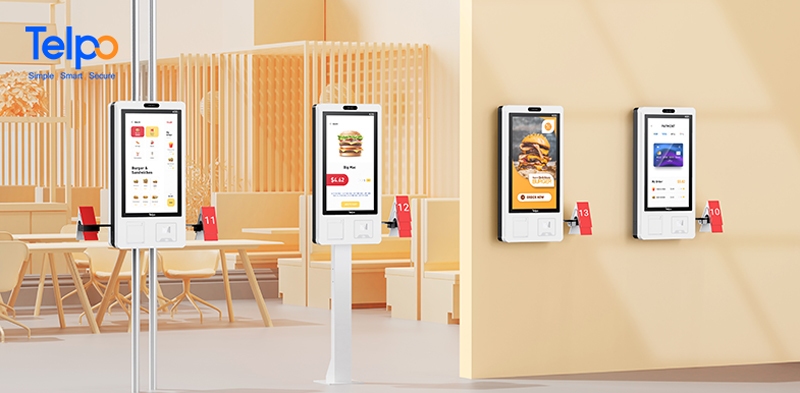
New 27-inch screen kiosk K20
The self-ordering kiosk for the restaurant is rapidly gaining momentum in optimizing restaurant order methods, streamlining overhead queuing issues, increasing turnover rate, and even maximizing profits with high footfall. In the fiercely competitive restaurant industry, business success comes down to one thing, namely, customer experience. Fortunately, automation technology provides a chance for restaurant owners toupdate the way they operate and function.
Nowadays, it is common to hear the concept of restaurant digital transformation and future restaurant because improving restaurant working efficiency and customer experience have been the consensus for restaurant continuous growth. Earlier in 2016, McDonald has proposed this concept and introduced some Self-ordering kiosks for the restaurant. The hidden momentum behind it is due to the customer demands for self-help and contactless service in a relatively safer environment.
What is a self-ordering kiosk for the restaurant?
A self-ordering kiosk is a self-service kiosk equipped with a food ordering system and allows customers to place an order, confirm and pay for it directly the screen, without the intervention of the cashier or server. It is a small free-standing physical object that displays the entire menu, activities, or advertising for the customer. There are many types of self-service kiosks, stand-alone or wall-mounted ones, which restaurant owners can choose the suitable one depending on their store size.
How does the food ordering kiosk work?
The easiest way to understand how a food kiosk work is to imagine someone ordering food by clicking the digital menu on the touch screen. Take the Telpo food ordering kiosk as an example.
When customers enter the restaurant, they can browse the digital menu and know the dishes’ information. And then, they can freely choose whatever dishes they like and customize how dishes they needed in order. The 3D structure face camera, barcode scanner window, NFC module, and thermal printer allow the customer to pay with a face/QR code/ NFC card and print the receipt once the transaction is complete. Once the order has been placed, it will be sent straight to the kitchen and synced with the restaurant POS system. Customers can go back to their seats and wait for the meal.
How do self ordering kiosks benefit restaurants?
As we all know, it is easy for customers to lose their interest and patience if there is a long queue at the restaurant at peak time. And food ordering kiosks can greatly solve this problem. Apart from it, the self-ordering kiosk also benefits restaurants in many other ways.
Reduce labor cost
Installing the food ordering kiosks at the restaurant means that you need not hire more people to take orders at the counter. Unlike salaries that should be paid every month, self ordering kiosks are only a one-time investment. It can optimize labor by changing the front-of-house structure, and reassigning the staff to areas where they can better benefit the business and improve customer experience. Flexible productivity is good to lower labor cost.
Elevate order speed
With the help of a food ordering kiosk, customers can self-order food at the self-service kiosk, and the kitchen can know the order synchronously, without taking a long queue at the counter and wait for the cashier. It will effectively omit traditional ordering steps from written, input to inform the kitchen. Data show that the self-ordering kiosk can shorten the order process to 2 minutes and improve its three times operating efficiency than ever.
Enhance order accuracy
It is inevitable to avoid human error when recording orders in the traditional way including illegible handwriting or misplace paper tickets, even though the servers have gained professional training. As the self-ordering kiosk allows the customer to select and submit their orders, it also provides the chance to maximize enhanced order accuracy as the customer will confirm the order once again before the transaction. Thus, restaurants need not worry about employees mishearing, forgetting, or entering the wrong items anymore.
Improve customer experience
The self-ordering kiosk delivers a special and more private customer experience by allowing customers self-complete their order process from selection to receipt print without waiting for the assistance of the cashier. Besides, the self-service kiosks can sometimes be even more interactive than ordering food from the cashier.The self-ordering kiosk with a face recognition function not only makes the customer enjoy rapid face payment, shortens their transaction time, but is also able to recognize their membership identity and provide them corresponding membership rights and interests.
Increase profit
With the self-service kiosks, customers have access to control the ordering process and take their time viewing the menu. It was reported that self-ordering kiosks can increase the average order size by 15-20% own to the hot-sale, latest activities, and promotion prompts that might be forgotten by the cashier. A self-service kiosk can take orders faster and upsell on every transaction. In addition, the self-ordering kiosk also gives the customer a sense of anonymity, offering them the biggest freedom to make oversized or strange orders without being judged.
Provide data analysis
As sales data will be recorded and uploaded to the ordering system by the self-ordering kiosk, thus restaurant owners can utilize those big data to learn the dish sales ranking, turnover, ordering method, and customer preference, and make member statistics and analysis. An in-depth understanding of customers is good to adjust restaurant strategies and improve customer experience. In addition, the self-service kiosk can do a good job in customer personalized management and achieve accurate marketing by collecting operation data and user data.
Keep Staff and Customers Safe
Affectedby the epidemic, everyone is yearning for a safe and healthy environment. And that’s also the benefit that the self-ordering kiosk can take effect and keep customers and staff safe by reducing in-person interactions. Based on the center’s for Disease Control and Prevention (CDC), the virus will spread among people who are in close contact (within about 6 feet of one another).
Giventhat, the self ordering kiosk provides a natural solution to this dilemma by giving guests the power to order and pay for their meal all by themselves rather than gather together and contact the cashier to order the meal at the counter. Whether self-service kiosk is placed at the front of your restaurant or directly hung on the wall, it allows customers to place their orders and send those orders directly to the kitchen without an in-person interaction with staff.
How to choose the right self ordering kiosk for your restaurant?
Nowadays, there are many typesof self orderingkiosks, but not all of them fit your restaurant operation. Given this, choosing the right self-service kiosk is extremely significant. In the following article, we will provide some directions and you could base on your restaurant’s actual demand to choose the right one.
Design
When it comes to the first impression, the visual effect is undoubtedly taking a significant role. That is the same for the customer. If they are the first time to your restaurant, they certainly will view the restaurant environment and at this time, the self ordering kiosk that is in line with your restaurant style will be a bright point. Thus, if you want to choose a self ordering kiosk, you should at least consider what restaurant atmosphere you hope to present to your customer.
It is worth mentioning that appearance, screen size, kiosk size, function module layout, and installation methods should all be taken into consideration as they will directly relate to userexperience. In terms of ergonomics and visual aesthetics, if your restaurant has big enough space, the large-screen self-service kiosk with exquisite appearance and adjustable bracket may be the better choice. The big-screen self-service kiosk delivers clearer content, and facilitates people of different heights flexible use, thus it benefits improving store image and enhances the goodwill of customers.
Operation
Itis human nature to reject hard-to-use devices and more prefer easy-to-use ones.Just imagine, if you fail to find member login interface, payment choice, or the return key after trying so many times, will you give up and go to another restaurant that provides easier operation? That givesus the idea that a simpler and clearer operation will help you easily gaincustomers’ favor and even increase the turnover rate. To avoid difficult operation problems, you should choose the self-service kiosk with high-quality configuration, big screen, and multi-function which allows a simpler and interesting check-out process.
Payment
No matter what restaurant you own, payment is always the most significant part. As different people have various payment habits, you have no idea what payment method the customer face in front of you will be more favorable. So, why not give them as much as payment methods you can provide and let them choose the preferred one? We all know, the purpose of self-ordering kiosks is to enhance customer shopping interaction, and multiple payment choices will certainly cater to this idea. Under this condition, you can choose a self-service kiosk with multiple payment options.
Member Marketing
An in-depth understanding of your customer demand is the way to help you make accurate marketing and increase restaurant revenue. That’s also the reason why more and more businesses roll out loyalty programs because they treat it as the direct bridge to dynamic learning customers’ consumption preferences. Burger King is an example. It recently promoted the Royal Perks program that will provide customers 10 crowns for every dollar spent offers rewards, daily perks, member-only exclusives like special offers and promotions, and other personalized experiences driven by customer data.
In addition, the mature of face recognition technology also makes membership face identification available.In this way, you could choose the self-service kiosk with a face recognition function to allow membership registration and membership recognition by simply scanning the face, to improve identity efficiency, provide customized dishes and stimulate consumption.
Telpo self-service kiosk family
Telpo continues to empower partners across various industries with its versatile self-service kiosk family. By integrating advanced hardware with user-centric design, Telpo provides a comprehensive range of solutions from ultra-modular terminals to large-screen interactive stations and compact desktop units.
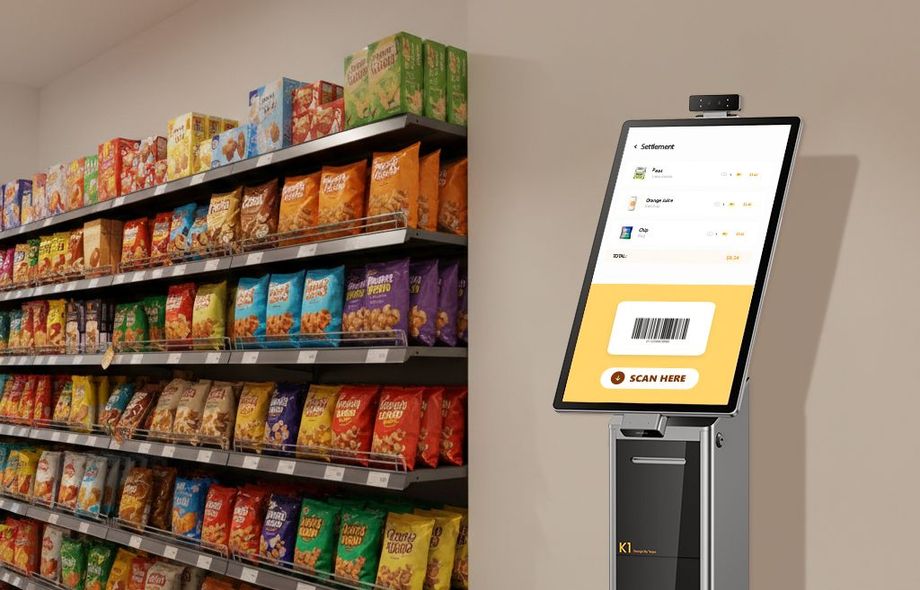
Telpo K1
The Telpo K1 is a revolutionary 21.5-inch modular self-service kiosk designed for ultimate flexibility. Featuring a plug-and-play architecture, it allows businesses to easily switch between different functional modules to meet evolving service demands, making it a perfect fit for retail, hospitality, and healthcare.
Feature
-
Ultra-Slim & Premium Display: 21.5-inch FHD screen with 400-nit high brightness and a 10mm thinnest point, providing a crystal-clear and modern interactive experience.
-
Revolutionary Modular Design: Industrial Pogo-pin rail interface supports hot-swappable modules including dual-lens face cameras, barcode scanners, and array microphones.
-
High-Speed Professional Printing: Built-in 80mm thermal printer (Seiko/Epson solutions) with auto-cutter, reaching speeds up to 150mm/s for rapid receipt generation.
-
Versatile Payment & Performance: Powered by an Octa-core 2.2GHz processor (Android 14) and supports under-screen NFC, QR-code pay, and external POS bracket integration.
-
Flexible Deployment: Supports desk-stand, floor-stand, and 100×100mm VESA wall-mounting to suit any commercial layout.

Telpo K20
The Telpo K20 is a 27-inch large-screen intelligent kiosk built for high-traffic environments like QSRs, cinemas, and large retail stores. With its expansive display and powerful processing capabilities, it delivers an immersive and efficient self-ordering journey that effectively reduces queuing time.
Feature
-
Immersive 27-inch Large Touchscreen: A massive FHD display with sensitive multi-touch technology, providing an intuitive and clear interface for complex menu browsing.
-
Industrial-Grade Performance: Equipped with an Octa-core 2.4GHz processor (Antutu score over 550,000), ensuring lightning-fast response times even during peak hours.
-
Expert Printing Solution: 80mm thermal printer with auto-cutter, supporting high-speed printing up to 220mm/s to keep customers moving.
-
All-in-One Payment Integration: Supports various EMV modules, NFC, QR-code, and external EFT-POS to satisfy diverse global payment habits.
-
Ergonomic & Secure Design: Features a concealed switch for easy paper bin access and supports wall-mount, floor-standing, or pole-mounted installations.
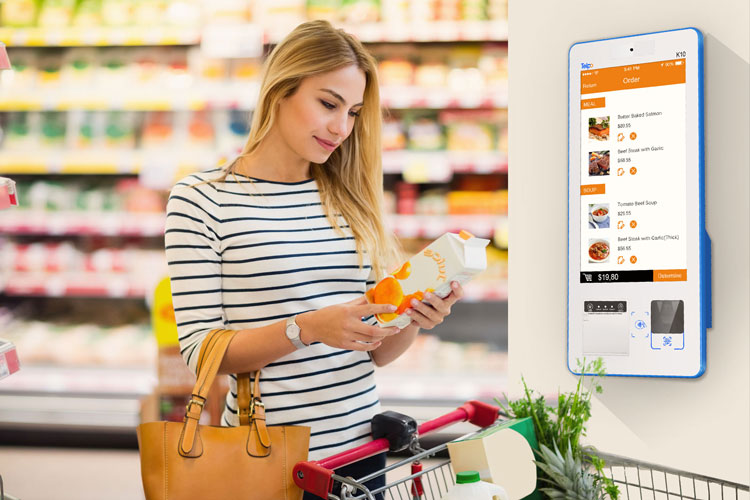
Desktop self-service kiosk Telpo K10
Telpo K10 is a 15.6-inch desktop self-service kiosk with 4.29 kg with multi-functions. The compact design and flexible installation (check-out desk, desk stand, wall-mounting bracket optional) make it more suitable for a restaurant with a small space size.
Feature
-
Compact & Fashionable Design: 15.6-inch FHD touch screen with a slim body, designed to maximize counter space without compromising on performance.
-
Integrated Versatility: In-built high-speed barcode scanner and 80mm thermal printer with auto-cutter, providing a complete “Order-Pay-Print” cycle.
-
Enhanced Security & Recognition: Supports 3D structured light or dual-lens face recognition cameras for secure face payment and membership management.
-
Multiple Mounting Options: Comes with various bracket options including check-out desk, desk-stand, and wall-mounting for flexible integration into existing furniture.
-
Robust Connectivity: Powered by a high-performance Hexa-core/Octa-core processor with support for Wi-Fi, Bluetooth, Ethernet, and optional 4G LTE.
Which Telpo Self-Ordering Kiosk Is Right for Your Restaurant? K1 vs K10 vs K20
| Dimension | Telpo K1 | Telpo K10 | Telpo K20 |
| Screen Size | 21.5″ (400 nit, ultra-narrow bezel) | 15.6″ | 27″ FHD |
| OS | Android 14 | Android 14 | Android 12 |
| Processor | Octa-Core 2.2GHz + AI acceleration | Octa-Core 2.2GHz | Octa-Core 2.4GHz |
| Memory | 4GB/64GB (8GB/128GB optional) | 4GB/64GB | 8GB/64GB |
| Print Speed | 150mm/s (Seiko or Epson) | 150–220mm/s | 150–220mm/s |
| NFC Payment(Optional) | Under-display NFC + SoftPOS | ISO14443 Type A/B, Mifare | ISO14443 Type A/B, Mifare |
| QR Code Payment | ✔ | ✔ | ✔ (Datalogic scanner optional) |
| EMV Card Payment | POS bracket compatible | POS bracket compatible | POS bracket compatible |
| Face Recognition Payment | Optional (dual-lens camera) | Optional (RGB+IR dual-lens) | — |
| Installation | Desk-stand / Floor-stand / Wall-mount (VESA) | Desk-stand / Wall-mount | Floor-stand / Wall-mount |
| AI Features | AI acceleration, voice ordering, array microphone | — | — |
| Expandability | Pogo Pin modular peripheral expansion | USB ports + POS bracket | USB ports + POS bracket |
| Remote Management | ✔ Telpo MDM | ✔ Telpo MDM | ✔ Telpo MDM |
| Best For | Cafés, hospitality venues, premium casual dining, operators who want AI-ready and future-proof hardware | Space-constrained counters, fast-food outlets, canteens, multi-location rollouts | High-volume QSRs, food courts, large-format chain flagship stores |
How to clean and maintain a self-ordering kiosk?
If you want to expand the service life of the self-ordering kiosk as long as possible, you should master some skills to do well in clean and maintain jobs. Here are a few practical tips to ensure a self-service kiosk is normally up and running.
Place the self-ordering kiosk in the right environment. As different kinds of food-ordering kiosks are made of various materials and have quite different demands on the environment, thus you should not place them in the wrong area. Namely, the indoor-rated kiosk cannot place outside or in an area with much dust or particles in the air.Otherwise, it will result to cause malfunction of the kiosk. You can clean itby removing the outer shell and wiping it with a damp cloth.
Keep clean. A touchable screen is always considered the most prominent part when it comes to cleanliness. Taking material into consideration, you must follow the manufacturer’s specifications to clean the machine. Besides, please don’t forget occasional cleaning of the relative equipment such as the checkout counter, POS machine, printer, etc.
Lubricate regularly. The motorgear inside the self-ordering kiosk will consume the lubrication after constantly working, which will reduce motor speed during rotation and even make some noise. The lubricating oil can solve this problem.
Treat softly. Hard objects to knock or vibrate the self-ordering kiosk should be banned. Because rough handling will certainly damage the internal circuit boards and delicate structures.
The smart restaurant must be the future development trend of the catering industry. And the self-ordering kiosk for the restaurant is conducive to improving ordering efficiency, optimizing the dining process, and enhancing customer loyalty.
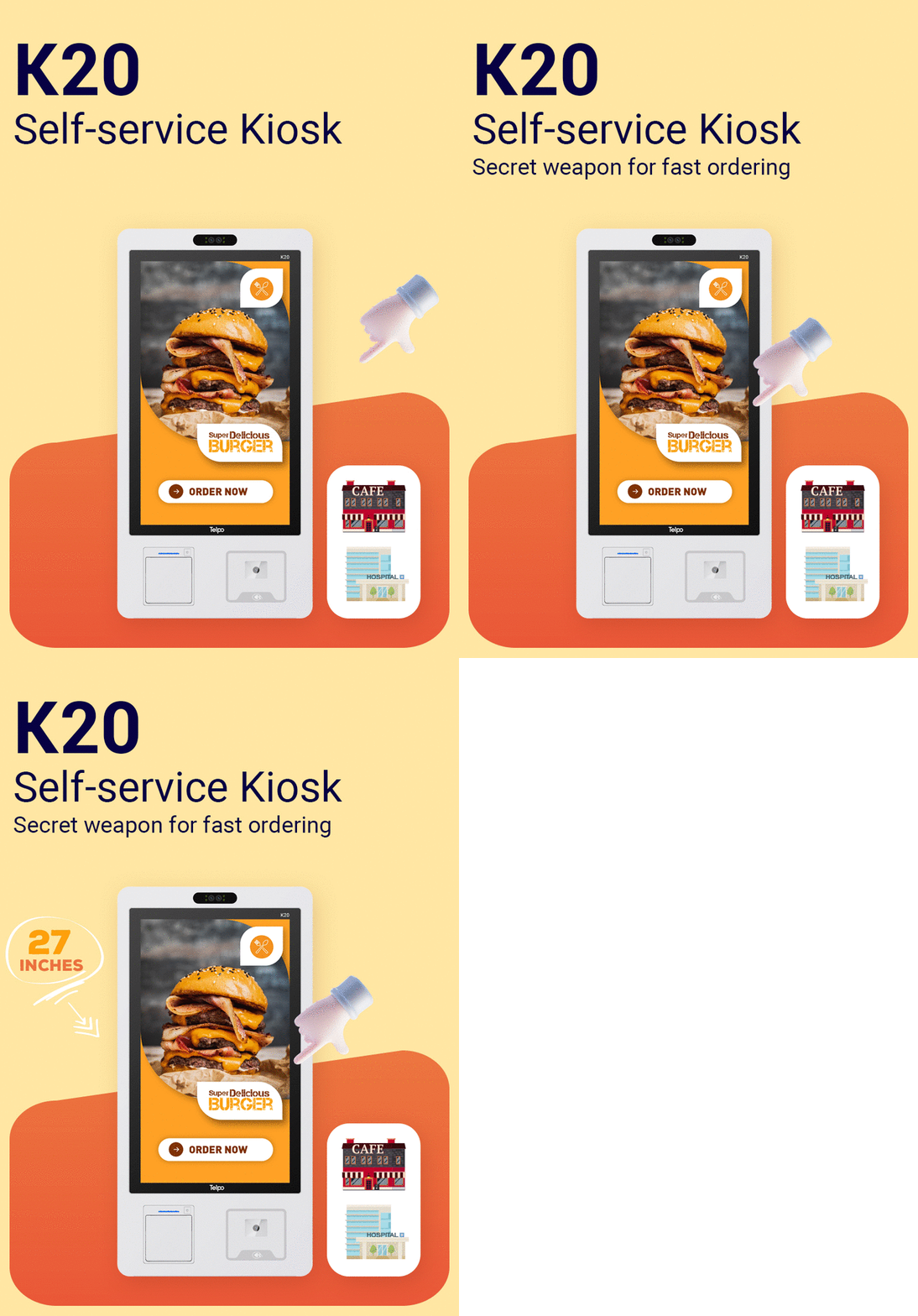
FAQ-Self-ordering Kiosk in restaurants
Tag: self-ordering kiosk for restaurants, food-ordering kiosk, self-service kiosk