
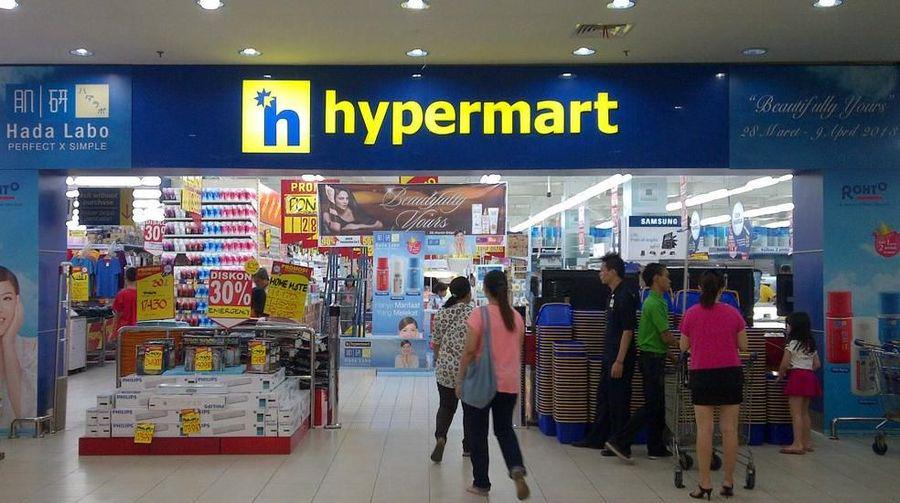
Traditional Checkout Bottlenecks in Large-Format Retail
Why Hypermart Chose the Telpo K10 Self Cashier Machine
Space-Optimised Design for High-Density Retail Environments
Flexible Configuration Options
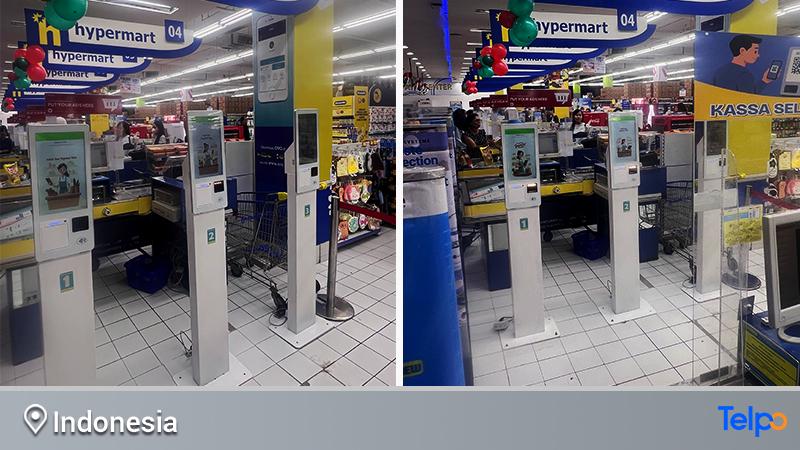
The K10 Self-Service Kiosk POS Delivers Enterprise-Grade Performance
Performance That Matches Retail Demands
Comprehensive Payment Acceptance
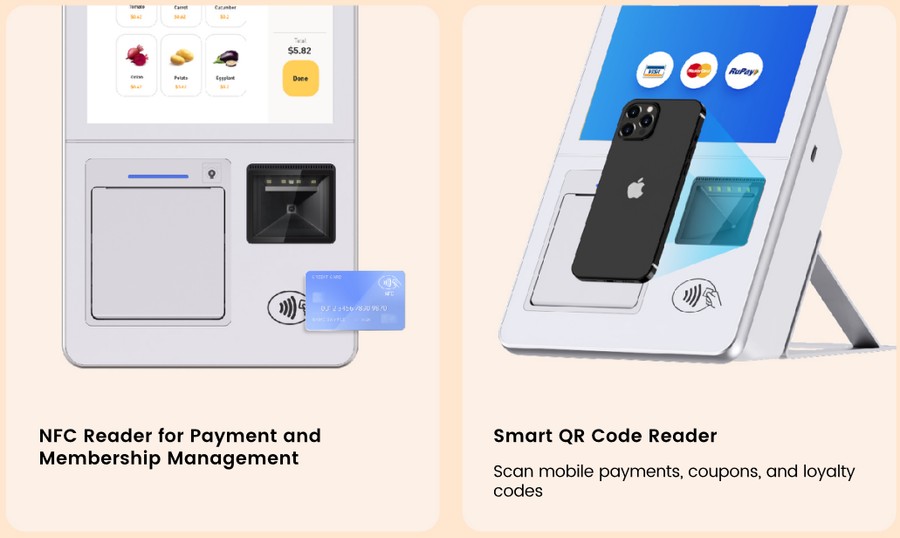
Hypermart Achieves Measurable Operational Transformation
Improved Customer Experience
-
Reduced wait times: Average checkout time decreased by 40% during peak hours
-
Shopping autonomy: Self-scanning capabilities put customers in control of their checkout pace
-
Privacy during transactions: Personal purchases can be processed discreetly
-
Multilingual support: Android-based interface easily accommodates Indonesia’s linguistic diversity
Operational Efficiency Gains
- Labour optimisation: Staff previously assigned to repetitive scanning tasks were redeployed to customer service roles, inventory management, and high-value activities that enhance the overall shopping environment.
- Throughput improvement: Each K10 unit handles transaction volumes comparable to traditional manned checkouts, but with significantly lower per-transaction costs.
- Space utilisation: The compact footprint freed up valuable square footage for expanded product displays and customer amenities.
- Scalability: The 4.29kg weight and straightforward installation process meant Hypermart could rapidly deploy additional units during promotional periods or seasonal peaks without major infrastructure modifications.
Telpo Delivers Comprehensive Hardware Customisation Capabilities
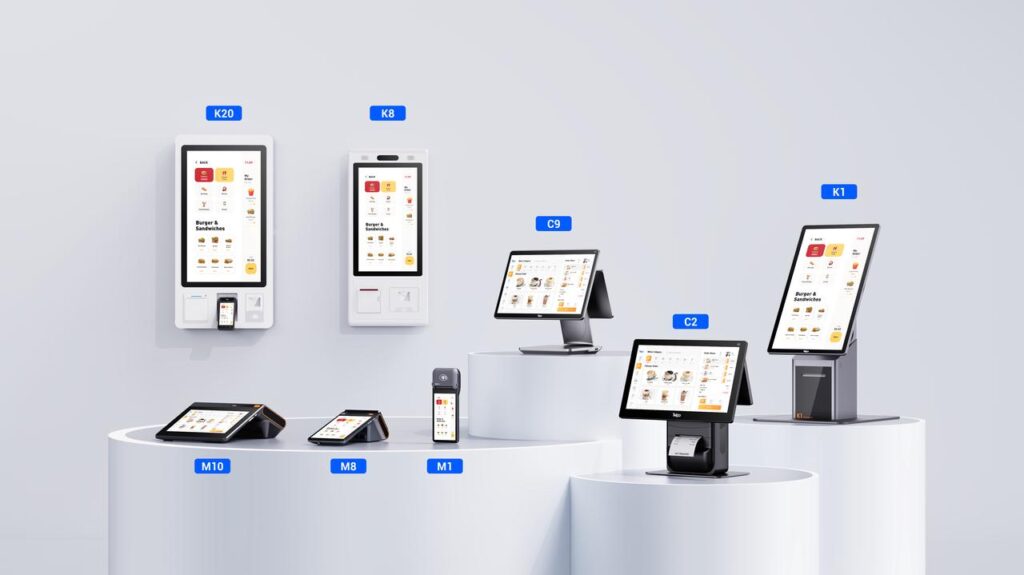
Flexible Hardware Configuration
Physical Design Customisation
Manufacturing Excellence
Which Telpo Self-Checkout Machine Is Right for Your Store?
| Dimension | |||
|---|---|---|---|
| Screen Size | 15.6″ | 21.5″ | 27″ |
| OS Options | Android 14 | Android 14/ Windows 10 | Android 12 / Windows 10 |
| Processor | Octa-Core 2.2GHz | Hexa-Core 1.8GHz (Android) / Intel Core i3-1315U (Windows) | Octa-Core 2.4GHz/ Intel Core i3-1315U (Windows) |
| Thermal Printer | 80mm | 80mm | 80mm |
| Built-in Barcode Scanner | Support | Support | Support |
| NFC / Contactless Payment | Optional | Optional | Optional |
| Face Recognition | Optional (RGB+IR dual-lens) | Optional (single-lens / dual-lens / 3D depth sensing) | Optional |
| Windows OS Option | — | ✔ (Intel Core i3, 8GB/256GB) | ✔ (Intel Core i3, 8GB/256GB) |
| Mounting Options | Desk-stand / Wall-mount | Wall-mount / Desk-stand / Floor-stand / Checkout desk | Wall-mount / Floor-stand |
| Weight | 4.29 kg | ~18 kg | ~24.5 kg |
| MDM Support | Optional | Optional | Optional |
| Best For | Space-constrained counters, multi-location rollouts, lightweight deployment | Mid-size supermarkets and retail chains needing a full-featured checkout station with optional Windows OS | High-volume QSRs, food courts, large-format retail flagship stores |
The Future of Self-Service Retail in Indonesia
-
Start with hardware flexibility: Choose self-service terminal solutions that can adapt to diverse store formats
-
Prioritise payment versatility: Ensure your smart self-service kiosk accepts all popular local payment methods
-
Invest in customisation: Work with manufacturers capable of scenario-specific adaptations
-
Plan for gradual adoption: Maintain hybrid checkout options during customer transition periods
Small Footprint, Transformative Impact
FAQ
Q1: What is the difference between a self-checkout machine and a traditional manned cashier counter? A traditional manned cashier requires a staff member to scan items, confirm prices, and process payment for every customer transaction. A self-checkout machine transfers all three steps to the customer — they scan their own items using the built-in barcode reader, review the total on the touchscreen, and pay via QR code, NFC, card, or mobile wallet, with no staff involvement required. The practical result is shorter queues during peak hours, lower per-transaction labour cost, and staff freed up for customer service, restocking, and store management tasks that add more value than repetitive scanning.
Q2: How do self-checkout machines handle payment security? Telpo’s self-checkout kiosks accept payments through certified external EFTPOS modules — meaning the payment hardware (card reader, PIN pad) meets the same EMV and PCI security standards as a dedicated payment terminal. NFC contactless transactions, QR code payments, and mobile wallets are also processed through encrypted channels. The kiosk display itself handles the product selection and order confirmation layer; the payment is handled by a separate, compliant hardware module, which is the same security model used in most large retail chains globally.
Q3: Is a self-checkout machine suitable for a smaller independent supermarket, not just large chains? Yes, particularly the Telpo K10. Its compact 15.6″ form factor, 6.3 kg weight, and flexible desk-stand or wall-mount options make it practical for small to mid-size retail environments where floor space is limited and a large freestanding kiosk would be impractical. A single K10 unit can meaningfully reduce queue pressure during peak hours without requiring infrastructure changes or significant counter modification. For smaller operators, the K10 is the lowest-barrier entry point to self-checkout technology.
Q4: How do retailers manage and update software across multiple self-checkout machines? All three Telpo models — K10, K8M, and K20 — support Telpo MDM (Mobile Device Management), which allows operators to remotely monitor device status, push software and firmware updates, manage app installations, and configure settings across an entire fleet from a central dashboard. For retailers operating dozens or hundreds of units across multiple store locations, this eliminates the need for on-site technical visits for routine updates and significantly reduces fleet management overhead.