
With the constant development and optimization of touch POS, the value and application of it are much more than you think. Nowadays, touch POS can be seen easily at places where check-out, payment, data analysis, inventory management, and member identification are required.
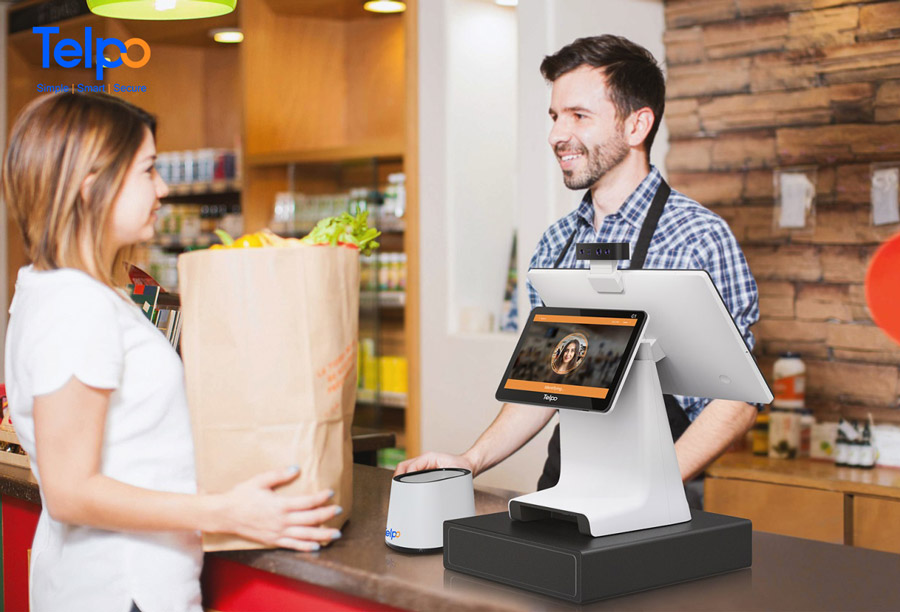
Touch POS can be divided into single-touch display POS and dual-screen touch POS
However, touch POS can be divided into single-touch display POS and dual-screen touch display POS. What is the difference between them? How should businesses choose the appropriate touch POS? No matter the price that start-up grocery stores might care more about or other factors, we should learn some basic information before we take action.
Table of Contents
- What is Single and Dual Screen Touch POS?
- The Verdict: Which One Should You Choose?
- ISV Integration Reality: Why Most Developers Prefer Single Screen
- When Dual Screen Justifies the Complexity
- Hardware Comparison: Telpo C9 Configurations
- How to Choose the Touch POS: Side-by-Side Comparison
- Industry-Specific Recommendations
- Frequently Asked Questions
- Conclusion
What is Single and Dual Screen Touch POS?
Single Display Touch POS
Single-touch POS is more commonly used in small restaurants, small retail stores, and some self-service scenes with flexible placement and relatively lower interaction demand. However, it is hard to timely find the wrong order due to no customer screen or an LED display for the customer to confirm the information. For the small retail store or grocery store that does not require much customer interaction, the single-touch POS is more cost-effective.
.jpg "Single screen Touch POS for self service")
Single screen Touch POS for self-service
Dual Screen Touch POS
Double-screen touch display POS contains a main display and a customer display. The main touchscreen is generally operated by store staff whilst the customer display serves the customer. Customers can easily confirm order information (commodity, amount payable) and obtain store promotional information (product display, discount information, company introduction, etc.). That also means that merchant need not print extra advertisement sheets or payment code, keeping counter tidy and beautiful.
It can be easily seen that the dual-screen touch POS is helpful to elevate information display effect, further improve customer experience and real-time interaction. But it also has the risk of customer privacy disclosure during the queuing.
From the sales data, dual-screen touch POS is mainly used at supermarkets, restaurants, milk tea shops, coffee shops, clothing stores, convenience stores, etc. And some of the slap-up hotels will introduce the touch display POS with identity identification function. As dual-screen touch POS can relatively add more customised scene-based functions, it is conducive to more business activity and brings more revenue to different industries.
The Verdict: Which One Should You Choose?
If you are an ISV, SI, or system integrator building POS software, single-screen touch POS is your default choice. It offers lower development complexity, faster time-to-market, fewer Android compatibility issues, and reduced support overhead. This is why the majority of Telpo’s ISV partners standardize on single-screen configurations for initial rollouts.
Choose dual-screen touch POS only when:
- The end customer operates in high-visibility retail or hospitality (supermarkets, restaurants, coffee chains)
- Customer-facing order confirmation is a compliance or operational requirement
- The secondary display serves a marketing function (promotions, loyalty programs, ads)
- Your development team has verified multi-display API support on the target Android version
For retail and F&B chain procurement managers: The decision is simpler. If your checkout counter has space and your brand invests in customer experience, dual screen POS delivers measurable engagement benefits. If cost, counter space, or deployment speed is the priority, a single-screen touch cash register machine remains the pragmatic choice.
Telpo’s position: After 27 years in retail terminal manufacturing and supporting 100+ countries, Telpo’s engineering team confirms that dual screen development support is fully mature—but single screen remains the dominant deployment choice among ISVs due to integration simplicity. The Telpo C9 series provides both options with unified firmware architecture, eliminating the maintenance split between configurations.
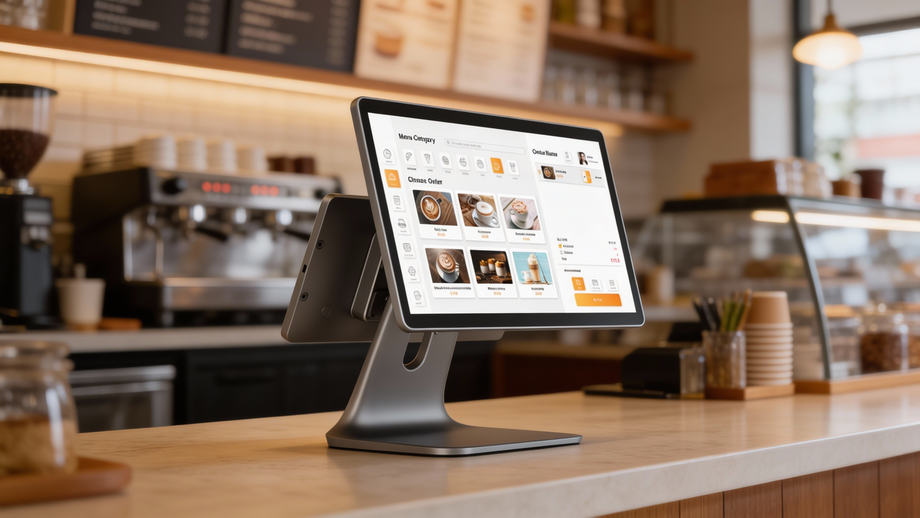
Telpo POS C9 has a single screen and a dual touch screen for selection
ISV Integration Reality: Why Most Developers Prefer Single Screen POS
From a software integration perspective, the gap between single and dual display touch POS is not merely about hardware cost. It is about development velocity, debugging surface area, and long-term firmware maintenance.
Android Multi-Display API Complexity
Single screen touch POS runs on standard Android activity lifecycle management. Your app occupies one Display object. The framework handles rendering, touch input, and window management without developer intervention.
Dual screen touch POS introduces mandatory multi-display handling:
- Display Enumeration: Your app must query
DisplayManagerto identifyDisplay.DEFAULT_DISPLAYversus secondary displays. On some Android POS builds, display indices are not deterministic across reboots. - Presentation Class: Content on the customer-facing screen requires Android’s
PresentationAPI, which creates a separate window context. This means layout inflation, resource loading, and lifecycle events occur on a different thread than the main POS UI. - Input Routing: Touch events on the customer screen must be correctly routed and potentially blocked from affecting the operator’s primary workflow. This requires
WindowManagerflag manipulation that varies across Android versions (Android 9 vs 11 vs newer).
Real-world impact: An ISV building for single screen can often port an existing tablet app with minimal changes. Dual screen requires dedicated architecture decisions from day one.
Firmware & OTA Maintenance
Single screen and dual screen POS hardware from the same vendor should share firmware. In practice, some manufacturers maintain separate firmware branches due to different driver board configurations (LVDS vs eDP, separate backlight controllers, etc.).
This creates a genuine operational risk for ISVs managing thousands of devices:
- OTA complexity: If firmware diverges, your OTA system must maintain device-type awareness, increasing testing matrix size.
- Rollback scenarios: A display driver bug in a dual screen-specific update affects only that fleet segment, fragmenting your incident response.
- Version drift: Over 3-5 years, separate firmware branches inevitably diverge, creating subtle behavioral differences between single and dual screen deployments.
The Touch Screen POS Telpo C9 approach: Telpo uses a unified Android firmware image across single screen, dual screen (15.6″+10.1″), and dual large screen (15.6″+15.6″) variants. Screen configuration is handled at the kernel device tree level, not through separate firmware builds. This means ISVs managing mixed Telpo C9 deployments can push one OTA package to the entire fleet—a meaningful operational simplification at scale.
Debugging Dual Screen Issues
Screen debugging is the most common support ticket escalated from ISV partners to hardware vendors. The failure modes are specific to multi-display:
- Black secondary screen: Usually
Presentationinitialization timing—initializing before the secondary display is fully enumerated byDisplayManager. - Resolution/aspect ratio mismatch: Customer displays (often 10.1″ or smaller) have different densities than the main panel. Layouts designed for 15.6″ do not trivially downscale.
- Touch event leakage: Customer touches are registering on the operator’s primary activity, causing order data corruption. This requires careful
FLAG_NOT_TOUCH_MODALhandling. - Orientation conflicts: Operator screen locked to landscape, customer screen expected to render portrait content (e.g., portrait-mode ads).
Telpo’s engineering team provides dual screen reference implementations and debugging utilities, but the reality remains: single screen eliminates this entire class of problems.
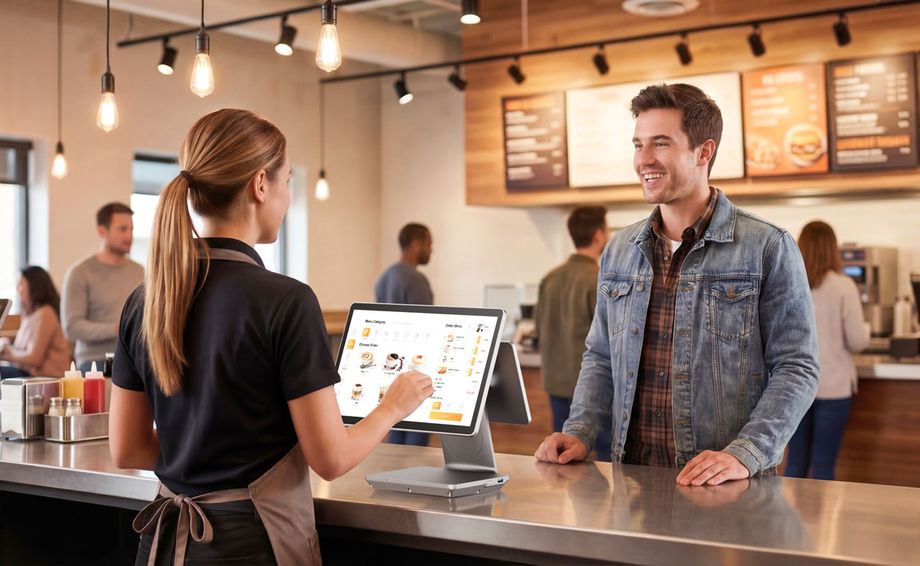
When Dual Screen POS Justifies the Complexity
Despite the integration overhead, dual-screen touch POS is the correct choice for specific business models. The ROI is not in the software—it is in customer trust and ancillary revenue.
Customer-Facing Display Benefits
Double-screen touch POS contains a main display operated by staff and a customer-facing secondary display. The customer sees real-time order confirmation: item list, quantities, pricing, and total amount payable. This transparency directly reduces disputes.
Operational impact:
- Reduced “I didn’t order that” corrections at the register
- Faster checkout (customer pre-confirms while operator finalizes)
- Improved compliance in regions requiring consumer-visible transaction detail
Privacy caveat: In queue-based environments, the customer-facing screen can expose payment amounts or loyalty status to adjacent customers. This is a legitimate concern for pharmacies, financial services, or high-end retail. Telpo C9 dual screen configurations can be paired with privacy filters or orientation adjustments to mitigate this.
POS with Secondary Screen as Marketing Channel
The customer-facing screen POS is not merely a confirmation panel—it is an owned marketing channel operating at the highest-intent moment of the customer journey.
- Dynamic promotions: Rotate offers based on basket contents, time of day, or loyalty tier.
- QR code generation: Display payment QR codes (Alipay, WeChat Pay, Venmo) or loyalty program enrollment.
- Brand reinforcement: Logo, color scheme, and messaging consistency at every transaction.
- Cross-sell prompts: “Complete the set” or “Add a drink for $1” messages triggered by basket analysis.
For chain restaurants, coffee shops, and supermarkets, the incremental revenue from secondary screen promotions can recover the hardware cost premium within months.
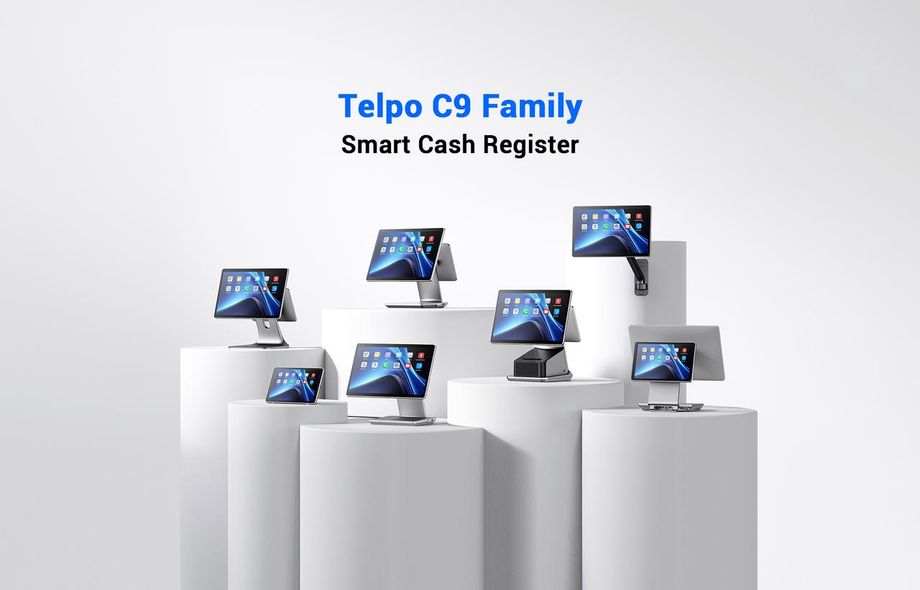
Touch Screen POS Telpo C9
Hardware Comparison: Telpo C9 Configurations
The Telpo C9 is the current-generation Android touch POS designed to eliminate the “single or dual” hardware bifurcation problem. Rather than forcing ISVs to choose between entirely different product lines, the C9 family is a modular platform with shared motherboard, OS, and SDK.
| Configuration | Screen Setup | Best For | ISV Notes |
|---|---|---|---|
| C9 Single Screen | 15.6″ main display | Small retail, grocery stores, cost-sensitive deployments | Standard Android app lifecycle. Fastest integration. |
| C9 Dual Screen (Small Secondary) | 15.6″ main + 10.1″ customer | Restaurants, coffee shops, compact counters | Requires Presentation API. 10.1″ density is 213dpi vs 15.6″ 141dpi—layouts must be density-aware. |
| C9 Dual Screen (Large Secondary) | 15.6″ main + 15.6″ customer | Supermarkets, premium retail, and hotel front desks | Both panels share density. Easier layout sharing. Higher power draw—verify PSU rating in kiosk/wall-mount installs. |
| C9 Wall Mount | Varies by config | Self-service kiosks, QSR ordering stations | Orientation handling critical. Touch targets must accommodate standing-height interaction. |
| C9 with Printer | Integrated 58/80mm thermal | All configurations above | Printer is USB/serial internally. No additional integration complexity vs the external printer. |
| C9 without Printer | No integrated print | Cloud-receipt or external printer environments | Lower unit cost. Smaller footprint. |
Key integration advantage: All Android POS C9 variants run the same Android 9/11 firmware and share the Telpo SDK. An ISV can develop against a single screen C9, then enable dual screen features through conditional code paths without maintaining separate app builds.
How to Choose A Touch POS: Side-by-Side Comparison
| Dimension | Single Screen Touch POS | Dual Screen Touch POS |
|---|---|---|
| Development Complexity |
Low. Standard Android app. |
Medium-High. Multi-display API, Presentation class, input routing. |
| Integration Time | Shorter, a few weeks for basic POS | Longer (dual screen architecture + testing) |
| Hardware Cost | Baseline | +30-50% unit cost |
| Customer Experience |
Functional. No order confirmation visibility. |
Enhanced. Real-time confirmation + marketing surface. |
| Counter Space | Minimal footprint | Requires additional depth/height for the second panel |
| Marketing Capability | None at the terminal | High—dynamic promotions, QR codes, branding |
| Privacy Risk | Low. Customer never sees screen. | Medium. Queue visibility of order details/payment amount. |
| Maintenance / OTA | Simple. One firmware target. | Vendor-dependent. Telpo C9 unified firmware reduces risk. |
| Debugging Overhead | Standard Android tooling | Requires secondary display emulator or physical hardware |
| Compatibility | Universal. Works with virtually all Android POS software. | Requires explicit multi-display support in app architecture. |
*The data provided above is for reference purposes only.
Industry-Specific Recommendations
These recommendations synthesize Telpo’s deployment data across 120+ countries and retail partners including Burger King, 7-Eleven, and Meituan.
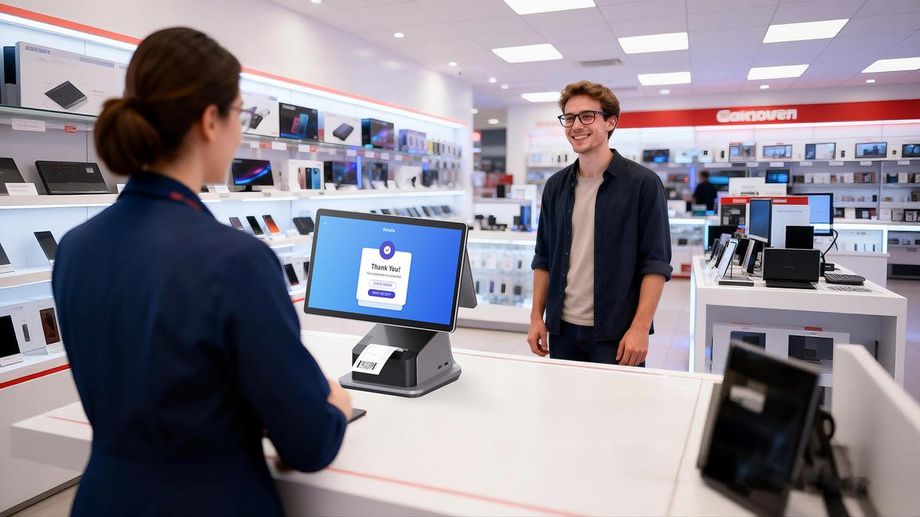
Customise different POS for restaurants, retail and other service applications
1. Quick-Service Restaurants & Coffee Chains
Recommendation: Dual screen (15.6″ + 10.1″). Customer-facing order confirmation reduces remakes. Secondary screen promotions drive upsell. Counter depth is usually available.
2. Supermarkets & Grocery Stores
Recommendation: Dual screen large (15.6″ + 15.6″). High basket values justify transparency. Customer display serves as loyalty program enrollment point.
3. Small Retail & Convenience Stores
Recommendation: Single screen. Space-constrained. Low basket values mean dispute risk is minimal. Speed of deployment and cost matter more than experience optimization.
4. Hotels & Hospitality
Recommendation: Dual screen with face recognition (Telpo C9 with camera module). Front desk use cases require identity verification + payment confirmation on the customer-facing display.
5. Self-Service Kiosks
Recommendation: Single-screen wall-mount. The customer is the operator. No secondary display needed. Optimize for touchscreen responsiveness and payment peripheral integration.
Frequently Asked Questions
Q1: Is single-screen or dual-screen POS better for ISV development?
A: Single screen touch POS is generally better for ISV development due to lower integration complexity, broader Android compatibility, and reduced debugging overhead. Dual screen requires handling multi-display APIs, independent rendering contexts, and firmware-level screen synchronization. Telpo supports both with mature SDKs, but single screen remains the default recommendation for first-time POS integrations.
Q2: What Android APIs are needed for dual-screen POS development?
A: Dual screen POS development requires Android DisplayManager API for screen enumeration, Presentation class for secondary display content, and WindowManager for display-specific layout handling. Additional firmware-level SDK support is typically needed for hardware-specific features like customer-facing LED or VFD integration. On Telpo C9, these are abstracted through the Telpo SDK to reduce boilerplate.
Q3: How much does a dual screen touch POS cost compared to single screen?
A: touch POS with Dual screen typically costs 30-50% more than single screen equivalents due to additional display panel, driver board, and structural components. However, the total cost of ownership difference narrows when considering the marketing and customer experience benefits in high-traffic retail and hospitality environments.
Q4: What Telpo C9 configurations are available for different business needs?
A: The Telpo C9 series offers: single screen (15.6″), dual screen with small secondary (15.6″ + 10.1″), dual screen with large secondary (15.6″ + 15.6″), wall-mount options, and variants with or without built-in 58/80mm thermal printer. This modular approach allows ISVs and retailers to standardize on one platform while addressing different counter space and interaction requirements.
Conclusion
Single-screen and dual-screen touch POS are not generational replacements—they are purpose-built tools for different operational contexts. For ISVs and SIs, the default position should be a single screen unless the end customer’s business model explicitly benefits from customer-facing display functionality.
The Telpo C9 platform mitigates the traditional “either/or” hardware bifurcation by offering unified firmware, a shared SDK, and modular screen configurations. Whether your deployment is 500 single-screen convenience stores or 50 dual-screen restaurant chains, the underlying integration surface remains consistent.
Need hardware-specific SDK documentation or a reference implementation?
Telpo’s ISV support team provides dual-screen sample code, debugging guides, and OTA architecture consultation for partners managing scaled Android POS deployments.
Contact Telpo Engineering Support | Browse Telpo C9 Specifications